
If you have ever had a customer ready to pay and then realized the “in stock” number was wrong, you know how frustrating inventory errors can be. It is not just awkward, it costs money. You lose the sale, waste staff time, and your customer walks out with less confidence in your store.
The good news is that most of these problems are not “mysteries.” They usually come from manual entry, inconsistent product naming, and inventory updates happening too late. That is exactly what barcode inventory management is built to fix.
When barcodes are set up properly, your inventory becomes something you can trust. Receiving gets faster. Checkout becomes smoother. Counts become simpler. And your reports stop feeling like a guess.
In this guide, I will walk you through how barcode inventory management works in real retail operations, how to set it up without overcomplicating things, and the workflows that keep inventory accurate day after day.
You can also explore how Scantranx supports inventory and retail operations here: Scantranx retail features.
Why inventory errors happen at checkout
Checkout errors usually show up in one of three ways:
- The system says you have stock, but the shelf is empty
- The shelf has stock, but the POS says “out of stock”
- The customer wants a specific variant (size or color), and the system pulls up the wrong one
These issues happen because inventory is a living number. It changes every time you sell, return, receive, transfer, or adjust.
When staff are typing SKUs manually, selecting products from long lists, or using inconsistent naming, small mistakes are inevitable. Barcode scanning reduces those mistakes because it replaces “typing and guessing” with “scan and confirm.”
That is why barcode inventory management is one of the fastest upgrades you can make to improve inventory accuracy without hiring more staff.
What barcode inventory management actually does
A barcode system does not magically make your inventory perfect. What it does is create consistency.
One scan equals one specific product
A barcode connects to a single product record in your catalog. If your catalog is clean, each scan reliably identifies:
- The exact item
- The exact variant (size, color, style)
- The correct price
- The correct tax setup
- The correct inventory location
Inventory updates happen immediately
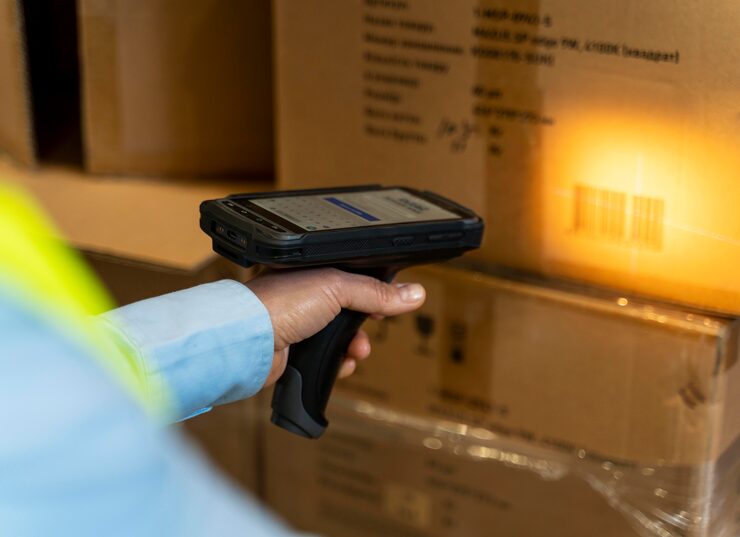
When a scan is tied to a sale, return, or receiving action, the system updates your stock count right away. This is the backbone of stock count automation because it reduces the need for manual adjustments later.
Less training time for new staff
New staff can learn a scanning workflow faster than they can learn your product catalog. That matters when you are scaling or hiring seasonally.
Better data for purchasing decisions
When you trust your item-level history, you can reorder based on real movement, not gut feel. Barcode data turns your inventory into something measurable.
The non-negotiable foundation: clean SKUs and product structure
Before you print a single barcode, you want to get your product catalog right. Barcodes only work as well as the data behind them.
Use one SKU per sellable unit
If you sell a product in three sizes, each size needs its own SKU. Otherwise, you will create variant confusion, which leads to wrong scanning and inaccurate counts.
Standardize your naming
A simple rule: a product name should help staff identify the item quickly. Avoid internal shorthand that only one person understands.
Choose a barcode standard
Many retailers use the manufacturer barcode where possible. If you carry products without barcodes, or you sell private label items, you can generate and print your own labels.
The goal is consistency. Every item that can be scanned should be scanned.
The workflow that makes barcode inventory management work
Here is the practical setup most retailers follow. It is not complicated, but it must be consistent.
1) Barcode receiving: where accuracy starts
Receiving is the moment inventory enters your business. If receiving is messy, everything downstream is messy.
A clean receiving workflow looks like this:
- You open a purchase receiving screen
- You scan items as you unpack them
- The system increments the exact SKUs you scanned
- You confirm totals and finalize receiving
- The inventory becomes available for sale
The benefits show up immediately. Receiving becomes faster, and you stop relying on “we think we got 24 units” because you have scan-confirmed quantities.
If you want a system where inventory and POS workflows live in one place, start with: Scantranx features.
2) Barcode checkout: faster transactions, fewer mistakes
At checkout, retail barcode scanning reduces three common issues:
- Incorrect item selection from a list
- Pricing mistakes due to selecting the wrong variant
- Time lost searching for products in a crowded catalog
When a cashier scans the item, the POS does the matching work. It also improves the customer experience because checkout feels confident and smooth.
This is one of the simplest ways barcode inventory management pays for itself. Faster checkout can increase throughput during peak hours without adding another cashier.
3) Returns and exchanges: stop hidden inventory drift
Returns are where inventory quietly gets inaccurate. If a return is processed but the item is not scanned back into the correct SKU, you create drift.
A strong return workflow should include:
- Scan the returned item
- Confirm condition (restock or damaged)
- Update inventory only when the item is physically received
- Tie the return to the original SKU so reporting stays accurate
If you handle returns this way, your counts stay clean and your reporting stays reliable.
4) Cycle counting: the easiest way to stay accurate long term
Even with the best scanning, most retailers still benefit from cycle counting, especially for high-value or fast-moving items.
Cycle counting means you count small sections regularly rather than doing a full-store inventory only once or twice a year.
A simple cycle count plan:
- Count your top 20 percent best sellers weekly
- Count high-value items weekly or biweekly
- Count slower categories monthly
- Investigate recurring discrepancies instead of accepting them as “normal”
Barcode scanning makes cycle counts faster because you can scan items during counts rather than manually writing them down.
This is where barcode inventory management becomes a system, not just a scanner at checkout.
Multi-location and transfers: where scanning becomes even more valuable
If you have more than one store or plan to, barcodes become even more important. Transfers are a common place where inventory “disappears” because the process is unclear.
A clean transfer workflow should include:
- Create a transfer from Location A to Location B
- Scan items out of Location A (mark them in transit)
- Receive the transfer at Location B by scanning items in
- Investigate differences immediately
Without scanning on both sides, transfers turn into assumptions. With scanning, transfers become trackable.
If you are scaling locations and want centralized visibility into inventory, pricing, and reporting, you can explore Scantranx plans here: Scantranx pricing.
Real examples of how barcode inventory management improves daily operations
Here are common retail scenarios where scanning makes a noticeable difference.
Scenario 1: Variants that get mixed up
A customer buys a medium, but the cashier accidentally rings up a small because the product names look similar. With barcode scanning, the medium rings up as medium. Inventory stays accurate, and you avoid a future stockout caused by a wrong entry.
Scenario 2: Fast-moving items during rush hours
During peak traffic, staff do not have time to search catalogs and double-check variants. Scanning reduces the mental load and keeps transactions consistent.
Scenario 3: Shrink signals show up earlier
When cycle counts and adjustments are tracked properly, you start seeing patterns. Maybe a category consistently shows losses. Maybe transfers are often off. Barcode workflows help you identify where the process is breaking down.
Scenario 4: Better reordering
When sales and receiving are scan-confirmed, you can trust movement history. That leads to smarter purchasing decisions and fewer “surprise stockouts.”
Common mistakes to avoid
Barcode inventory management is straightforward, but a few mistakes can reduce its impact.
Printing labels without cleaning the catalog
If your SKUs and variants are inconsistent, scanning will simply reveal the mess faster. Clean the data first, then label.
Letting staff bypass scanning
If scanning is optional, it will be skipped during busy moments. The workflow should make scanning the default, not an extra step.
Using too many “miscellaneous” items
If staff ring up sales as “misc item” instead of scanning the real SKU, you lose item-level reporting and inventory accuracy. The fix is to keep the catalog usable and searchable, and train staff to scan.
Treating adjustments as normal
Adjustments should be exceptions, not everyday actions. When adjustments happen often, treat it as a process issue worth investigating.
How to choose a POS that supports barcode inventory management properly
When evaluating systems, do not just ask “does it scan barcodes?” Ask:
- Does it support variants cleanly?
- Does it make receiving and transfers easy to scan?
- Does it support cycle counting workflows?
- Does it provide reporting that helps you spot discrepancies quickly?
- Does it work across in-store and online inventory if you sell in both places?
If you want a platform designed around unified retail operations, inventory, and scanning workflows, start with a walkthrough so you can map your catalog and day-to-day processes to the system.
You can request that here: Book a Scantranx demo.
Final takeaway
Barcode inventory management is not about fancy tech. It is about removing the small daily errors that add up into expensive inventory drift.
When you standardize SKUs, label items consistently, and build scanning into receiving, checkout, returns, and counts, your inventory becomes something you can trust. That trust shows up in the simplest ways: fewer awkward checkout moments, fewer stockouts, less time correcting mistakes, and better decisions when you reorder.
If you want to see how this fits into your store workflow, start here: Scantranx retail features and then book a guided walkthrough when you are ready: Get a demo.


