
The first store teaches you retail.
The second store teaches you systems.
Once you have more than one location, you cannot rely on memory, intuition, or “we’ll fix it later.” Inventory lives in multiple places. Transfers become routine. Returns happen across stores. Staff work different shifts. Reporting becomes harder to trust.
That is why choosing the right multi location POS system matters so much. You are not just buying software for checkout. You are choosing the engine that keeps every store running the same way, with the same numbers, without daily firefighting.
In this guide, you will learn what the best POS for multiple stores must handle, what features actually matter for real operations, and how to choose retail software for chains that scales without forcing messy workarounds.
If you want to explore how a unified retail platform is structured, you can view Scantranx features.
What changes when you go multi-location
Multi-location retail creates new questions that a basic POS cannot answer well.
Where is the stock right now, not last week?
Can I move stock between stores without it disappearing in transit?
Can I see performance by store and across the business without exporting spreadsheets?
Can a customer return in Store B something they bought in Store A without breaking inventory?
Can I standardize pricing and promotions while still allowing store-level flexibility?
A proper POS for multiple stores is built for these questions from the start.
The 7 non-negotiables in a multi location POS system
1) One centralized product catalog
Every store must sell from the same product truth.
That means one SKU structure, one variant structure (size, color, style), and one consistent naming system. If each store has its own version of the catalog, your reporting will never be clean, and your staff will constantly ring up the wrong items.
Centralized catalog control also makes training easier. A cashier moving between stores should see the same products, the same rules, and the same workflows.
2) Inventory by location with a clean roll-up view
Multi-location retail needs two inventory views that always agree.
You need stock by store, and you need total stock across all stores. You should not have to export anything to answer simple questions like, “Which store has the item right now?” or “Do we have enough across the chain to run this promotion?”
If you cannot see inventory clearly, you will either over-order or lose sales through stockouts.
3) Transfers that are accountable, not informal
Transfers are where multi-location inventory breaks first.
A strong multi location POS system should support a transfer workflow that makes sense:
Store A creates a transfer.
Store A removes items from available stock and marks them as in transit.
Store B receives the transfer and confirms what arrived.
Any mismatch is visible immediately.
This is the difference between inventory you can trust and inventory that slowly drifts until your counts are meaningless.
If you are planning to expand registers and hardware setups across stores, you can review Scantranx POS hardware options.
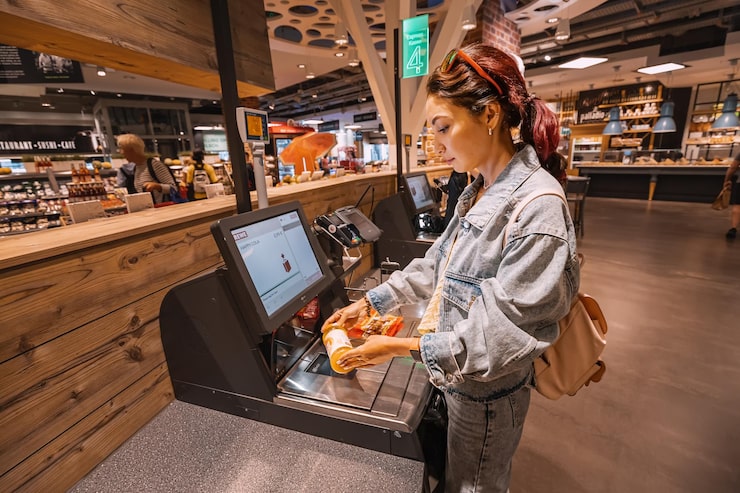
4) Cross-location returns and exchanges without inventory drift
Customers do not care where they purchased. They just want a smooth return.
Your system needs to support returns across stores without creating chaos. The return should be tied to the original sale when possible, but inventory should update at the location where the item is physically received.
A clean workflow also needs to handle item condition. Not everything returned should go back into full-price stock. If restocking is too casual, you create inventory inflation and customer complaints later.
5) Store-level permissions that protect consistency
The fastest way for a chain to become inconsistent is letting each store invent its own rules.
A solid POS for multiple stores should let you control:
Who can apply discounts and overrides
Who can process refunds
Who can adjust inventory, and why
Who can change pricing and promotions
Who can access reporting and sensitive settings
Permissions are not about micromanagement. They prevent “store drift” where one location quietly becomes looser than the others.
6) Multi-store reporting that supports real decisions
The best retail software for chains helps you see performance clearly, not just totals.
You should be able to view reports by location and across all locations, including:
Best sellers by units
Slow movers and inventory aging
Stockout risk by store
Return rate patterns by store and SKU
Discount impact by store
Sales trends by day and season
Multi-location reporting should help you answer, “Which store is performing and why?” without spreadsheet cleanup.
7) Omnichannel readiness if you sell online
Many multi-location retailers also sell online or plan to.
In that case, your POS must support accurate inventory across channels. Otherwise, the same item is sold online and in-store at the same time, and you spend your week apologizing and refunding.
A strong system should reserve stock when orders come in, keep inventory aligned across locations, and make fulfillment workflows clear for store teams.
If you want a plan overview as you scale users, stores, and features, you can review Scantranx pricing.
The practical demo test for multi-location POS
When you evaluate systems, do not only watch a polished demo. Run your real scenarios.
Ask the vendor to show:
A product with variants used in multiple stores
A transfer from Store A to Store B with an in-transit state
A cross-location return tied to the original sale
A store-level report and a chain-wide roll-up report
A permissions example, like discount control and refund control
If the vendor cannot show these smoothly, you are looking at future workarounds.
Common mistakes multi-location retailers make
The same issues show up again and again.
Choosing based on checkout alone, then struggling with inventory control.
Ignoring transfers until they become daily, then realizing tracking is weak.
Allowing too many manual adjustments, which hides shrink and process errors.
Treating reporting as an afterthought, then buying inventory on gut feel.
Expanding locations without standard workflows, which creates inconsistent execution.
Multi-location retail succeeds when the system enforces consistency, even when you are not there.

Where Scantranx fits for multi-location retail
Many retailers consider Scantranx when they want one platform that connects POS, inventory, customer activity, and reporting across multiple stores.
If you want to see how the platform is structured across inventory, multi-location tracking, and reporting, start with Scantranx features.
If you want to test your real multi-store workflows in a guided walkthrough, you can book a free demo.
Final takeaway
The best multi location POS system is the one that makes your chain feel like one business.
One catalog.
One inventory truth.
Transfers that do not lose stock.
Returns that do not break counts.
Reporting you can trust.
Permissions that protect consistency.
Choose a system that runs cleanly today and stays clean when you open the next store.


