
Mobile POS sounds like an easy win. Hand your team a tablet, take payments anywhere, and shorten lines instantly. In some stores, it really does work like that.
In other stores, mobile POS becomes a frustrating half-solution. The device is slow. The connection drops. Inventory doesn’t update correctly. Staff avoid using it because it creates more problems than it solves. The checkout line still forms, and now you also have hardware you don’t fully trust.
So the real question is not “Should we use mobile POS?” The real question is: When does mobile POS for retail actually speed things up, and what has to be true for it to work smoothly?
This guide breaks it down in a practical, real-store way. You’ll see the best use cases, the situations where it usually disappoints, and a simple setup checklist so you can implement mobile POS without chaos.
To understand how a unified retail platform can support mobile workflows across sales, inventory, and customer profiles, you can review: Scantranx features.
What mobile POS is (and what it isn’t)
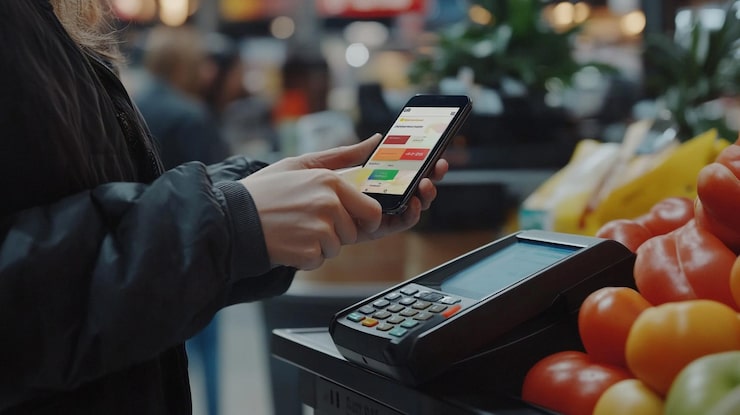
A mobile POS for retail is any POS setup that lets you complete sales away from a fixed checkout counter. Most often, that means a tablet or smartphone connected to a card reader for wireless card payments, with access to your product catalog, taxes, discounts, customer profiles, and receipts.
Mobile POS is not automatically omnichannel. It is not automatically better reporting. It is not automatically better inventory. It’s simply a different way to run checkout.
Whether it improves your business depends on how you sell and how your store behaves during busy moments.
When mobile POS genuinely speeds up sales
1) Line busting during peak hours
This is the most obvious win. If your store has predictable rush times and customers tend to buy 1 to 5 items, mobile checkout can keep lines short by letting staff check people out anywhere.
Line busting works best when:
- The average transaction is quick
- Products are easy to scan
- Staff can move around safely
- Your store layout supports flow
Mobile POS is especially effective in boutiques, specialty retail, and seasonal peaks where the bottleneck is the register.
2) Assisted selling on the floor
In many stores, the best salesperson is wasted at the counter. Mobile POS lets your team stay on the floor, help customers, and close the sale without sending the customer to wait in line.
This is powerful for higher-consideration purchases where customers ask questions and need guidance. Think premium items, curated selections, or products that benefit from explanation.
When mobile POS supports customer profiles and purchase history, staff can offer better recommendations and build loyalty.
3) Pop-ups, markets, events, and sidewalk sales
Mobile POS is often the easiest way to sell outside your normal store environment. If you run pop-ups or events, carrying a full register setup is a headache. A tablet POS system with a compact card reader is simpler.
This works best when:
- You have a smaller event-specific product list
- Pricing is stable
- Inventory is still tied to your main catalog to avoid post-event cleanup
4) Curbside pickup and in-store pickup workflows
If you do pickup, mobile devices help staff:
- Find orders quickly
- Confirm customer identity
- Mark orders as collected
- Complete last-minute add-ons
Mobile checkout can turn pickup into a sales moment instead of a purely operational task.
5) High-traffic layouts with limited counter space
Some stores simply cannot expand their counter area. Mobile POS gives flexibility when physical space is the bottleneck.
When mobile POS usually disappoints
1) Your store needs complex checkout steps
If your transactions often involve:
- Multiple discounts and manual price changes
- Gift cards, store credit, and split tenders
- Custom orders and deposits
- Returns, exchanges, and warranty workflows
Mobile POS can still work, but only if the mobile interface supports these workflows without friction. If staff have to “go to the main register” to finish the transaction, mobile POS becomes pointless.
2) Weak connectivity or unreliable syncing
Mobile POS depends on stable internet or a well-designed offline mode. If your store has dead zones, weak Wi-Fi, or frequent drops, staff will quickly lose confidence.
The result is predictable: they stop using mobile devices, and you end up back at the counter.
3) Inventory accuracy is already shaky
If inventory is inconsistent today, mobile POS can make it feel worse because it increases transaction speed without fixing the underlying data quality.
Mobile POS performs best when inventory, catalog structure, and barcode scanning are already disciplined.
4) Your product catalog is hard to search
If staff cannot find products quickly, mobile checkout becomes slow. A cluttered catalog with inconsistent naming, too many duplicates, or poor variant structure will create delays and mistakes.
5) Your team is not trained for “floor checkout”
This sounds small, but it matters. Mobile checkout changes behavior:
- Staff must be comfortable closing sales away from the counter
- Loss prevention needs a plan
- Device handling, scanning, and receipts must be consistent
If training is casual, staff will revert to old habits.
A practical setup checklist for mobile POS success
Mobile POS works when you treat it like an operational rollout, not a gadget purchase.
1) Confirm your mobile workflow in one sentence
Example: “We will use mobile devices for quick checkout during rush hours and for assisted selling on the floor.”
If you try to use mobile POS for every scenario from day one, you usually create confusion. Start with one clear use case and expand later.
2) Fix the catalog first
Before mobile rollout:
- Clean product names
- Ensure variants are structured correctly
- Confirm barcodes scan reliably
- Reduce “miscellaneous items” that staff rely on
If you want mobile checkout to be fast, product lookup must be fast.
3) Make barcode scanning non-negotiable
Scanning is the difference between speed and chaos. Train staff to scan every item, not search and guess.
This also protects inventory accuracy and reduces pricing mistakes.
4) Lock down permissions
Mobile devices increase flexibility, which also increases risk. Set clear roles:
- Who can apply discounts
- Who can override prices
- Who can process refunds
- Who can open the cash drawer (if cash is involved)
Permissions keep “quick checkout” from turning into “uncontrolled checkout.”
5) Test wireless payments and receipts in real conditions
Do not test near the router and assume it’s fine. Test:
- In the busiest part of the store
- In any known dead zones
- During a realistic transaction flow with scanning and discounts
If payments are unreliable, mobile POS adoption will fail.
6) Decide where the device lives and how it’s charged
This sounds basic, but it matters. Devices need a home:
- Where staff pick them up
- Where they are charged
- How you handle battery management during long shifts
If devices are always low-battery or missing, staff will stop relying on them.
7) Create a simple “fallback” rule
Sometimes tech fails. Your team should know what to do:
- Switch to fixed register
- Or switch to offline mode if available
- Or hold the sale temporarily and complete at the counter
A fallback rule prevents panic and keeps customers calm.
Mobile POS and customer experience: what actually changes
When implemented well, mobile checkout changes the customer experience in three noticeable ways:
First, customers feel less friction. They don’t wait in line as long.
Second, customers feel more personal service. Staff stay with them on the floor, answer questions, and complete the sale without sending them away.
Third, your store feels modern and efficient. This matters, especially in competitive retail environments.
But if mobile checkout is slow or unreliable, the customer experience becomes worse than a normal counter checkout because it feels like confusion, not convenience.
Where Scantranx fits for retailers planning mobile checkout
Mobile POS works best when it’s part of a unified system where product data, inventory, customer profiles, and reporting stay consistent across devices. Scantranx is built around unified retail workflows, which is the foundation for reliable mobile checkout, especially when you want staff to move between assisted selling and checkout without losing context.
To explore the operational features that support mobile workflows, see: Scantranx features.
If you want to review plan options as you scale devices, locations, and functionality, see: Scantranx pricing.
And if you want to map your store layout and mobile use cases to a practical rollout plan, you can request a walkthrough here: Book a Scantranx demo.
Final takeaway
Mobile POS is not a magic button. It’s a workflow upgrade.
It speeds up sales when:
- Transactions are simple and scanning is consistent
- Connectivity is reliable
- The catalog is clean and easy to search
- Staff are trained and comfortable checking out on the floor
It disappoints when:
- Checkout is complex and mobile features are limited
- Wi-Fi is unreliable
- Inventory and catalog structure are messy
- Training is informal and permissions are uncontrolled
If you roll it out with one clear use case and build discipline around scanning, permissions, and connectivity, mobile POS can become one of the most practical upgrades you make in retail.


